In today’s fast-paced digital world, data cables are essential for charging devices and transferring data. With so many options available, choosing the right one for your devices can be overwhelming. Three major types dominate the market: USB-C, Lightning, and Micro-USB. Each has unique features, compatibility, and advantages. In this article, we’ll compare USB-C, Lightning, and Micro-USB to help you decide which one is right for you.
USB-C, also known as Type-C, is the latest and most advanced USB cable standard. It’s widely used across a range of devices, including smartphones, laptops, tablets, and gaming consoles. Here’s why it stands out:
Best for: Users who need fast charging, high-speed data transfer, and universal compatibility across a range of modern devices.
The Lightning cable is Apple’s proprietary connector, specifically designed for its ecosystem of devices. It’s used in iPhones, iPads, iPods, and some accessories like AirPods and Apple’s Magic accessories. Here are its key features:
Best for: Apple users who rely on the brand’s ecosystem and want a cable optimized for their devices.
Micro-USB was once the standard for many devices before USB-C became popular. While it’s gradually being phased out, it’s still used in older smartphones, cameras, and some budget devices. Here’s why it’s worth considering:
Best for: Those using older devices or accessories that still require Micro-USB cables.
Now that you know the basics, let’s break down the key differences between these three data cables:
| Feature | USB-C | Lightning | Micro-USB |
|---|---|---|---|
| Reversibility | Yes | Yes | No |
| Data Transfer Speed | Up to 40Gbps | 480Mbps | 480Mbps |
| Charging Speed | Up to 100W | 27W (iPhones) | Up to 18W |
| Device Compatibility | Universal (Android, laptops, etc.) | Apple devices only | Older Android, cameras |
| Durability | High | Medium (with certified cables) | Medium |
| Affordability | Moderate | Expensive | Cheap |
The choice between USB-C, Lightning, and Micro-USB depends on your specific needs. Here’s a quick guide to help you decide:
While all three data cables serve their purpose, USB-C is the most future-proof option. With its fast data transfer, high charging capacity, and growing compatibility with a range of devices, it’s quickly becoming the universal standard. Lightning remains ideal for Apple users, while Micro-USB is gradually becoming obsolete.
When purchasing data cables, always opt for high-quality or certified options to ensure durability and protect your devices. Whether you’re charging your phone, transferring files, or connecting peripherals, having the right data cable is essential for a smooth and efficient experience.
ESEEKGO G-101C Nylon Braided 2.0A 4FT USB to Micro Data Cable
Intelligent chip: Safe and fast charging without damaging the device.
Nylon braided: Excellent durability, not easily deformed, strong and tensile.
Anti break: High toughness interface design, 30000+ plug and unplug tests.
ESEEKGO G-111C Nylon Braided 60W 3.0A 4FT Type-C to Type-C Data Cable
High-Speed charging: Fast and Stable Charging, supports charging power of up to 60W.
Nylon braided: durable, withsands over 10,000 bend.
Lifespan: High toughness interface design, 30000+plug and unplug tests.
One for all: Compatible with any USB-C enabled devices.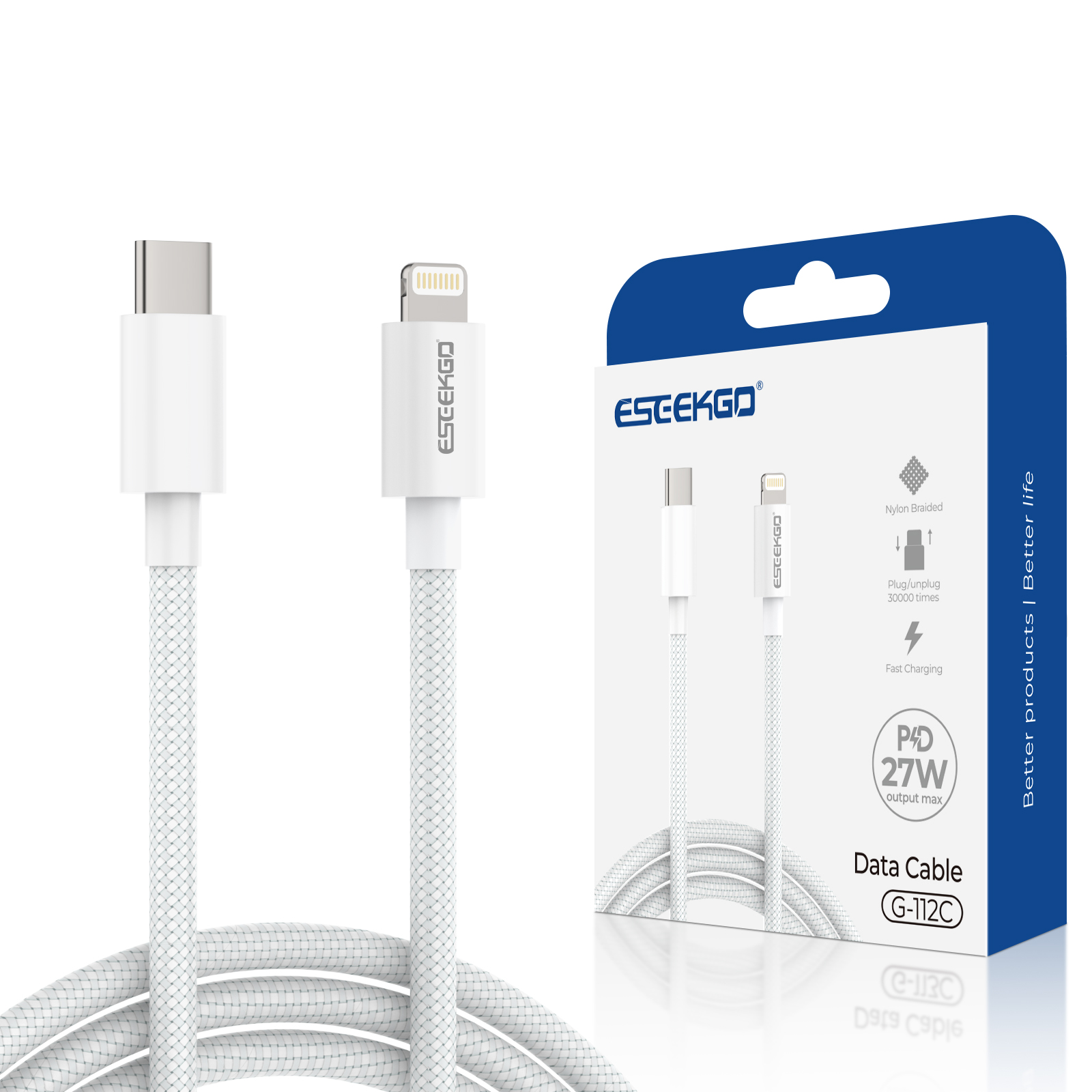
ESEEKGO G-112C Nylon Braided 27W 3.0A 4FT Type-C to 8 PIN Data Cable
High-Speed charging: Fast and Stable Charging, supports charging power of up to 27W.
Nylon braided: durable, withsands over 10,000 bend.
Lifespan: High toughness interface design, 30000+ plug and unplug tests.
One for all: Compatible with any 8 PIN enabled devices.

